Networking 2 Containers
Resources
Sam
Problem: We move to microservices for scalability, but deployment becomes harder. Solution: A container packages everything an application needs into 1 portable unit.
-
code
-
runtime
-
libraries
-
settings
Glossary
Sam
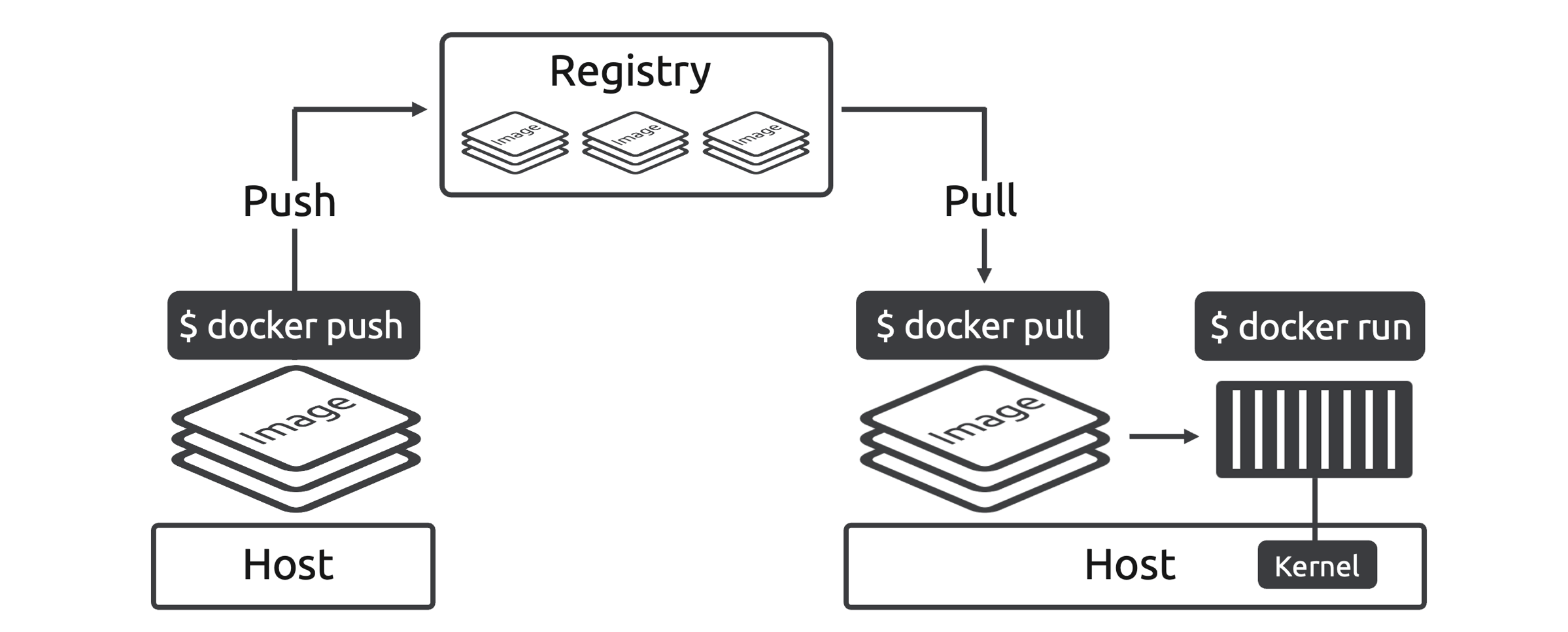
Images: a read-only template containing everything needed to run a container
Container: a running, isolated instance of an image
Registry: a centralized place for storing and retrieving images
Host: where (physical server or VM) the container executes. The host provides the OS that every container shares.
Runtime environment: where the program executes + the necessary resources/services
Kernel: the core features & functions of an OS. (Sometimes kernel & OS are used interchangeably.)
Microservices: a design pattern where every feature is dev/deployed/managed as its own small app/microservice
Bridge network: a private network that exists only on that server and allows containers to talk.
Images & Containers
Sam
Issue: dev & prod environments had different versions of libraries & dependencies.
Solution: Docker makes it easy to package applications + dependencies.
-
image: the standard package
-
container: the standard runtime
Containers virtualize the OS, not the hardware.
Sam
The steps in containerizing an application:
-
Dev app
-
Package app + dependencies as an image (called containerization)
-
Ship image to a registry (optional)
-
Run as a container (using a tool like Docker)
A container is a ring-fenced part of an OS dedicated to a single app. (isolated execution environment)
Sam
Under the hood:
Shared OS (kernel)
-
Container 1 (runs 1 app)
-
Container 2 (runs 1 app)
-
Container ...
Each container is NOT aware of others.


Registries
Sam
registries
-
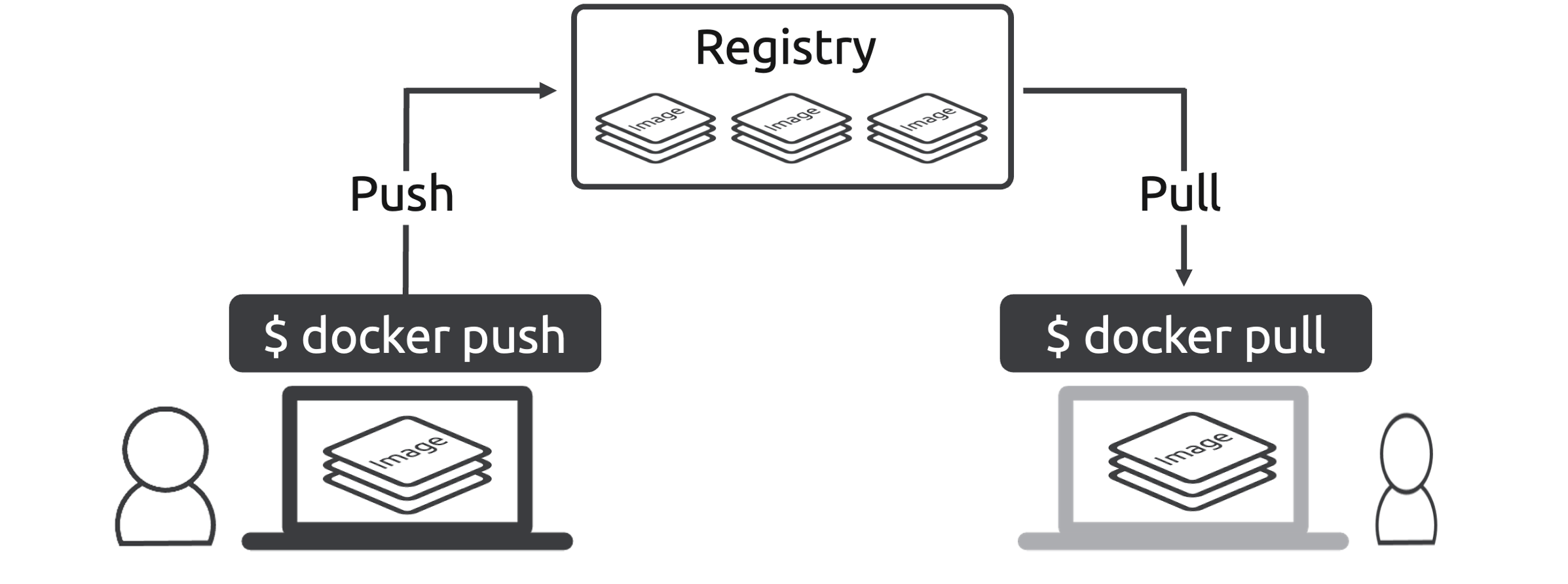
are: centralized places to store & retrieve images
-
aka: container registries | Docker registries | OCI registries.
actions (Figure)
-
pushing: storing images
-
pulling: retrieving images
Microservices
Sam
-
Old way: monolithic applications. Every feature is dev/deployed/managed as 1 complex app.
-
New way: microservices. Every feature is dev/deployed/managed as its own indy app.
The term microservice comes from:
-
Small (micro)
-
Application (service)
microservices: a design pattern where indy app features are dev/deployed/managed as indy apps running as containers.
Sam
Example: 1 microservices application with 6 microservices.
Each of the 6 microservices:
-
is built as its own image
-
is deployed as its own container
-
is coupled with other microservices over the IP network.
-
can be updated & scaled independently
Docker Compose
Sam
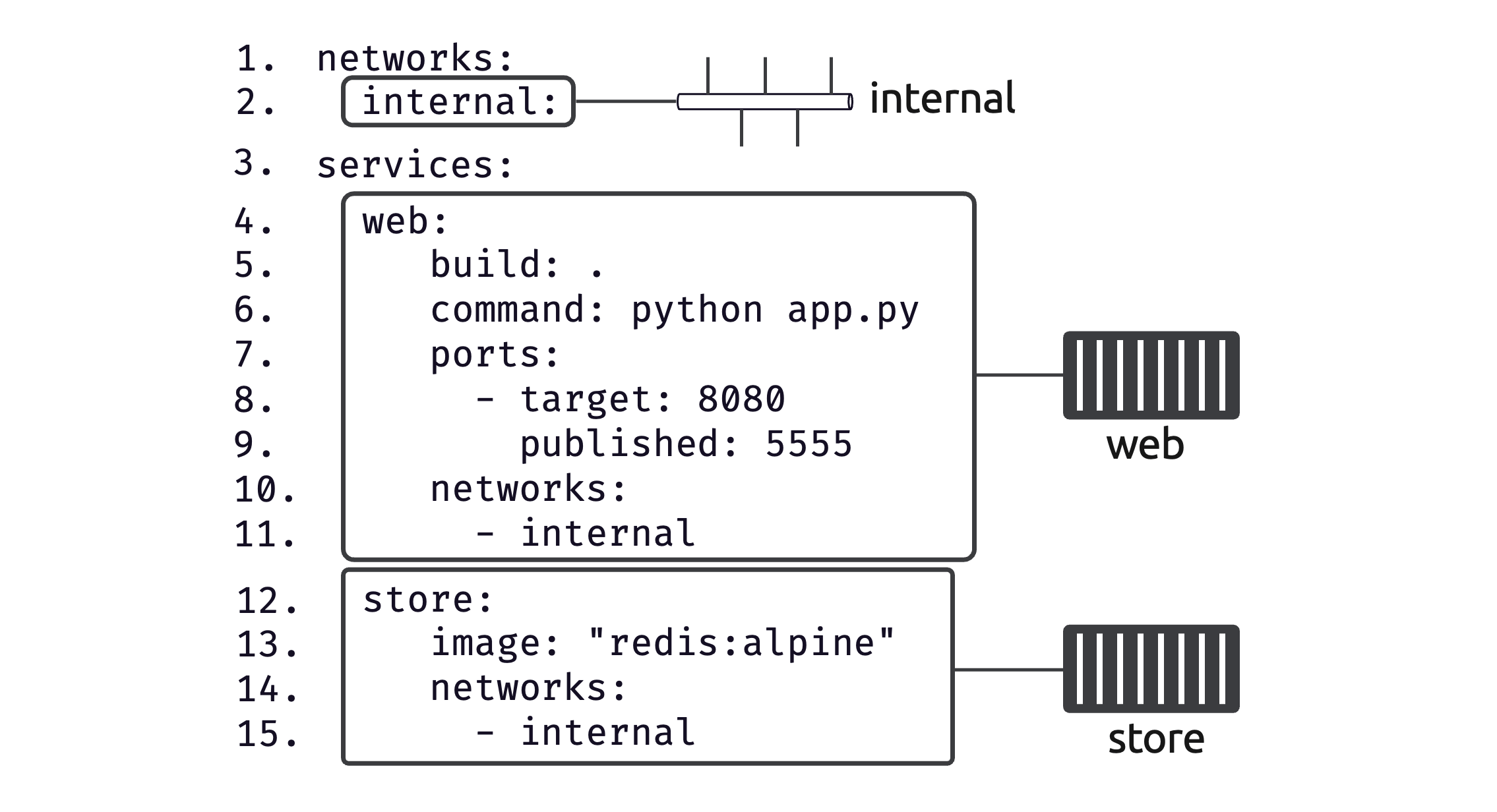
Docker Compose is how we can deploy/manage multi-container apps (aka microservices apps).
Note that Compose refers to containers as services.
The compose file is where we define the app.
-
define the services
-
define the network
Deploy using docker compose command.
Example:Figure 6.2. The Compose file.